
10-21 Police Phone
Motorola SolutionsCommunication
2.8362.00 Reviews
- Version
- 7.8.0
- Installs
- 100.00K
- Age Rating
- Everyone
Screenshots
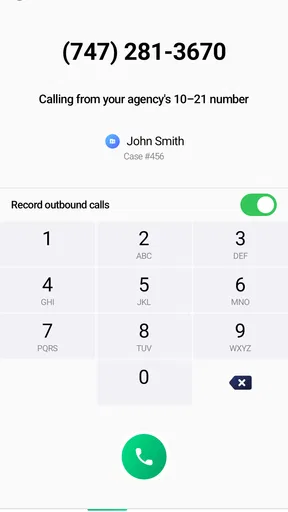
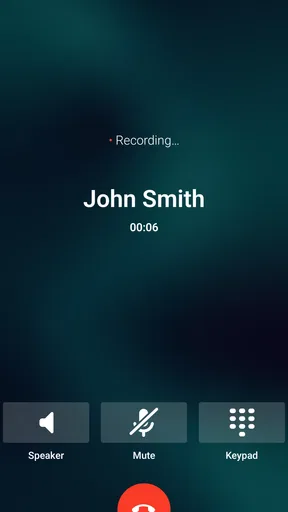
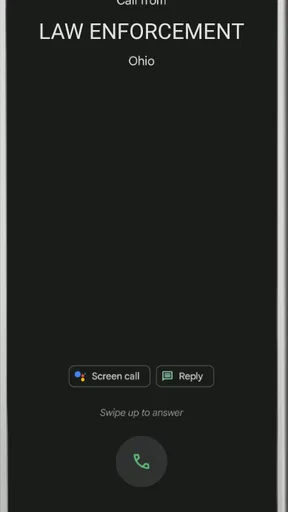
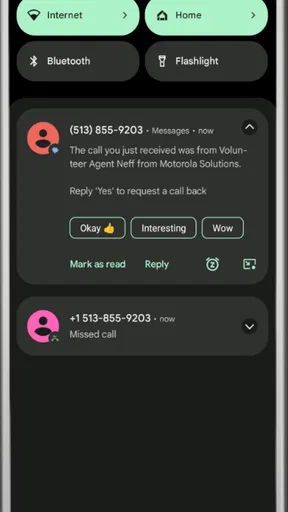
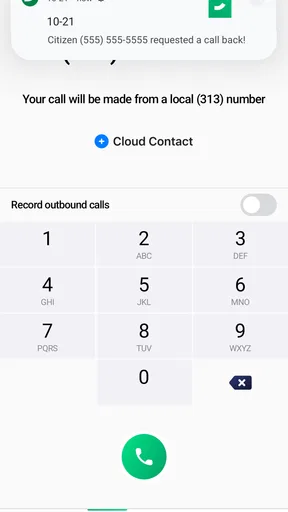
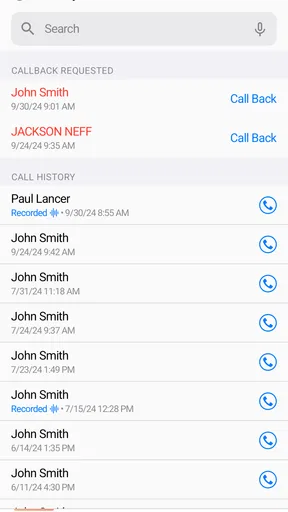
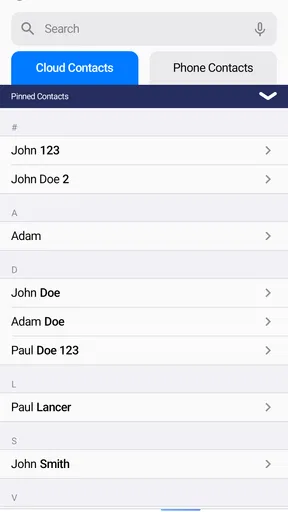
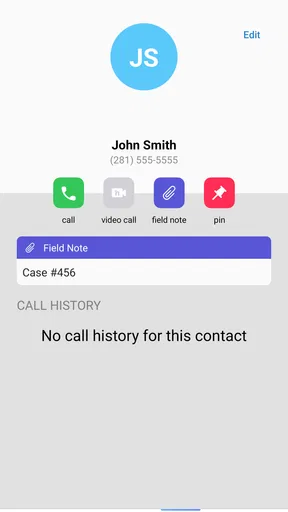
Our Review of 10-21 Police Phone
 Analysis by Appyee
I approached 10-21 Police Phone as a communication tool rather than a general-purpose calling app, and that distinction matters immediately. Its focus is police phone communication, so it is aimed at a much narrower audience than everyday services such as standard phone apps, messaging platforms, or internet calling tools. In my view, the main question is not whether it can replace the phone already on your device. The better question is whether its specialized purpose fits the way you or your household need to coordinate with law enforcement.
The app comes from Motorola Solutions, a developer closely associated with professional communications technology. It is free to install, available for Everyone, and has passed over one hundred thousand installs. Those figures suggest that it has reached a meaningful audience, although its average score of 2.8 from more than six hundred ratings also tells me that the experience has not been consistently smooth for everyone. I would treat it as a focused utility that deserves careful testing, not as an automatic replacement for familiar calling tools.
How 10-21 Police Phone Fits Into Shared Communication
I find shared communication works best when everyone knows which tool is for which job, rather than reaching for the same app by habit. In this section, I’ll look at how a household can keep a police-focused channel distinct from everyday calls and family messages, then turn that distinction into a practical routine.
A realistic household scenario
Imagine a household where one adult needs a direct, organized way to handle police-related calls while another person may occasionally use the same phone. That shared-device situation changes how I would evaluate the app. A normal dialer is designed for broad personal use, while this application has a much more specific identity. It may make sense on a device assigned to a responsible adult, a work phone, or a phone used for a defined communication role. It is less convincing as an app that every member of a family should open casually.
For example, a parent might keep a dedicated phone available for neighborhood coordination, property concerns, or contact with a local police department. Another adult in the home could use that device when the primary user is unavailable. In that arrangement, the value comes from having a known communication channel and a clear purpose, not from installing it on every family member’s personal phone. I would still keep the ordinary phone app available for general calls, because specialized communication should not become the only route to someone when circumstances are unclear.
That separation is one of the most useful practical lessons here: shared access works best when the device has a defined owner and job. If several people use the same phone without agreeing who handles the account, call history, or settings, confusion can outweigh the benefit of the specialized app. The application should support a communication routine, not replace one.
What setup feels sensible
My first step would be to install it on the device that will actually be used for police-related communication, rather than adding it everywhere at once. The current version is 7.8.0, so I would check that the app opens properly on the intended phone and that the person responsible for it can complete the relevant setup before depending on it. A short trial is especially important when more than one person may handle the device.
I would also create a simple household rule: one adult owns the setup, one backup adult knows how to use it, and children do not treat it as a toy or experiment. That is not a built-in family-control feature; it is a sensible boundary around a communication tool with a serious purpose. The Everyone age label describes the store classification, but it should not be confused with a recommendation that every child manage police communication independently.
Because the app is free to download but includes in-app purchases ranging from $4.99 to $49.99 per item, I would review any purchase screen carefully before allowing shared use. On a family device, accidental taps and unclear responsibility for payment can create unnecessary friction. I would keep purchasing decisions with the adult who manages the phone, and I would explain that installing an app at no upfront cost does not necessarily mean every function is free.
Keeping account boundaries clear
Shared devices often fail because people assume that an app will automatically understand who is using it. I would not make that assumption here. Before handing the phone to another person, I would identify whose communication activity belongs to the device and who is responsible for checking the app. If the phone changes hands regularly, a written household note with the app’s purpose and the backup contact method would be more useful than relying on memory.
This approach also protects personal boundaries. A teenager borrowing a parent’s phone should not be expected to interpret adult communication records or make decisions on behalf of the account owner. Likewise, a partner using the device temporarily should know whether they are simply placing a call or changing an account setting. The safest arrangement is predictable: use the app for its intended communication task, leave configuration to the designated adult, and return the phone to its normal owner afterward.
I would avoid presenting the app as a secret monitoring tool. Nothing about a specialized police phone application should be used to create hidden surveillance expectations inside a family. If several adults share responsibility, they should agree openly about who uses it and why. That transparency is particularly important when a device is shared between personal and household duties.
Coordinating before, during, and after a call
The strongest household workflow is simple. One person handles the communication, another person stays available for practical support, and everyone knows which ordinary phone number or in-person contact method remains available if the app is not suitable in the moment. I would not ask a child to decide whether a police-related situation belongs in this app. That decision should stay with a responsible adult who can judge urgency and choose the right official channel.
A useful preparation exercise is to open the app during a calm moment and make sure the intended user understands the basic path from launch to communication. This is not about rehearsing an emergency in a dramatic way. It is about reducing hesitation when the phone is being shared or the primary user is away. A backup adult should know where the device is kept, how it is unlocked, and which conventional option to use if the specialized route does not fit the situation.
I also recommend separating coordination from conversation. A household can agree on a short message such as “I am handling this” or “Use the regular phone,” without asking multiple people to make overlapping calls. That prevents duplicated effort and keeps the person with the clearest information in charge. The app may be specialized, but no application can fix a household process in which everyone acts at once.
For routine matters, I would compare the app with the phone’s built-in dialer before choosing it as the default. The ordinary dialer is usually faster for calling a known contact and is already familiar to every adult in the home. A messaging app may be better for non-urgent coordination among family members. 10-21 Police Phone becomes more compelling when its police-focused purpose matches the communication need, but it is not automatically the best option for family updates, scheduling, or casual calls.
Age, trust, and responsible access
The Everyone rating may make the app appear suitable for a broad audience, but the subject matter calls for more mature judgment than the label alone suggests. I would be comfortable with a child knowing that the app exists and understanding that an adult manages it. I would be much more cautious about giving a young child responsibility for deciding when to use a police communication tool, entering information, or handling a call without supervision.
For older children and teenagers, the right approach depends on the household’s trust and the purpose of the device. If the app is installed on a shared phone, I would explain its role in plain language and set a rule against opening it out of curiosity. I would also make clear that a police-related app is not a substitute for learning basic safety habits, knowing when to contact emergency services, or asking a trusted adult for help.
Trust works in both directions. Adults should not use shared access as an excuse to inspect every private interaction without agreement, and younger users should not change settings or make purchases without permission. The app’s free entry point and optional paid items make this conversation practical, not merely theoretical. A shared phone needs an owner who can review charges and decide whether the application belongs on that device at all.
Where the app feels limited
The modest average rating is the clearest warning sign I would consider before recommending it widely. A score of 2.8 from 614 ratings indicates that many users have encountered problems or found the experience less useful than expected. I cannot treat the app as universally dependable simply because its purpose sounds professional. Anyone considering it should test the exact workflow on the phone and network they intend to use.
Its narrow focus is another limitation. If you want family chat, group planning, photo sharing, or a familiar way to reach friends, this is the wrong category of tool. Even for police-related communication, the best choice can depend on the situation, the local process, and whether a normal phone call is more direct. I would keep the standard dialer installed and familiar rather than assuming this app should handle every important call.
The purchase range also deserves attention. In-app items from $4.99 to $49.99 can be reasonable in a professional communication context, but they are not something I would leave unexplained on a child-accessible or shared device. Before approving a purchase, I would check what it changes in the experience and whether the person who needs the app actually benefits from it. A paid option should solve a known need, not simply appear because the app is already installed.
Another trade-off is psychological: a specialized name can create false confidence. A household may feel more prepared because the app is present, while nobody has decided who uses it or what happens if it fails to meet the moment. I would judge the app by the complete plan around it. The device, the responsible adult, the fallback method, and the practice run matter just as much as the installation itself.
Who should use it and who should skip it
I would consider 10-21 Police Phone for an adult who has a clear police-related communication need and wants to evaluate a dedicated tool from Motorola Solutions. It may also suit a shared household phone when one adult owns the setup, another adult understands the backup procedure, and children have clearly limited access. The app’s free installation makes a cautious trial easier, provided the household pays attention to optional purchases.
I would skip it if the goal is simply to give a family an easier way to talk. For that, the built-in phone app or a familiar messaging service will usually be more natural. I would also skip relying on it as the only communication option, especially when a situation is urgent or the user has not tested the app beforehand. A specialized tool should add clarity, not remove alternatives.
People who dislike managing separate communication tools may find the narrow purpose frustrating. Likewise, anyone expecting a complete family-safety system, child supervision features, or automatic coordination should look elsewhere. I would not install it on a shared tablet or spare phone merely because it sounds useful; the device needs a real communication role and a responsible person behind it.
My household verdict
After weighing the focused purpose against the uneven rating and the need for careful household boundaries, I see this as a niche communication app rather than a universal recommendation. Its identity is clear, and the connection to Motorola Solutions gives it a professional context, but the practical value depends heavily on whether the intended user has a specific reason to use a police phone tool.
For a shared household device, my recommendation is conditional. Assign the phone to one adult, let a second adult learn the basic workflow, keep the ordinary dialer available, and discuss purchases before anyone taps through them. Treat the Everyone label as an age classification, not as permission for unsupervised child use. Most importantly, test the app before relying on it and make sure every household member knows the fallback plan.
The app has been available since October 20, 2015, and its current release shows that it remains an active product rather than an abandoned experiment. Still, longevity alone does not remove the need for a realistic trial. I would install it only when its specialized police communication role matches an actual need, then judge it on the device and routine where it will live.
My final view is straightforward: choose it for a defined adult communication workflow, not as a general family phone solution. If that boundary fits your household, the free installation makes evaluation worthwhile. If what you really need is easy everyday coordination, the familiar phone and messaging tools already on your devices are likely to be simpler, clearer, and better suited to the job.
Verdict
Strengths of 10-21 Police Phone
- Includes a broad selection of police-themed emergency phone scenarios.
- Simple controls make it accessible for younger players.
- Short sessions are convenient for quick entertainment.
- Bright visuals help keep the interface easy to follow.
- Offers imaginative role-play without requiring complex game skills.
Limitations of 10-21 Police Phone
- Gameplay may become repetitive after the novelty wears off.
- Some features may be limited without additional purchases or ads.
- The police theme may not appeal to every player.
- Requires careful supervision for younger children using simulated calls.
- Performance and loading times can vary across older devices.
Similar Picks in This Category
View All
Google Messages
Google LLC4.6

Gmail
Google LLC4.1

Google Meet
Google LLC4.4

Google Chrome
Google LLC4.1

WhatsApp Messenger
WhatsApp LLC4.6

Carrier Services
Google LLC4.2
Frequently Asked Questions
What is 10-21 Police Phone, and what can I use it for?
10-21 Police Phone is an app designed to provide convenient access to police-related information and services from a mobile device. Depending on your location and the version available in your app store, it may help you find contact details, submit non-emergency requests, view department information, or access public safety resources. It should be treated as an informational and communication tool, not as a replacement for official emergency services.
Can I use 10-21 Police Phone to report an emergency?
You should not rely on 10-21 Police Phone for situations involving immediate danger, serious injuries, crimes in progress, fires, or any other emergency requiring urgent assistance. In those cases, contact your local emergency number directly, such as 911 in the United States or the appropriate number in your country. The app is better suited to non-emergency communication and general police service information.
Does 10-21 Police Phone work in every city or country?
The app’s usefulness may depend heavily on whether your local police department or public safety agency supports it. Some features can be limited by region, participating agencies, or the information made available by local authorities. Before downloading, check the app listing and confirm that your city, county, or department is included. Features and contact options may also vary between Android and iOS.
Does the app require access to my personal information or location?
Permissions depend on the features enabled in the version you install. A police-service app may request access to your location, phone, notifications, camera, or files for functions such as finding nearby services, contacting an agency, sending attachments, or receiving alerts. Review the permission prompts carefully and check the developer’s privacy policy. Only grant access that is necessary for the feature you intend to use.
Is 10-21 Police Phone free to download and use?
The application may be free to download, but availability, optional services, or communication charges can differ depending on the platform and your local agency. Your mobile carrier could charge for calls, text messages, or data usage, particularly when using the app over cellular networks. Check the Google Play or App Store listing for current pricing, in-app purchase details, supported devices, and the latest terms before installing.
